 aisma
aismaHELP CENTER
Aisma help center.
Plain answers.
Aisma edits a video you already shot. Upload a 2–60 second clip, describe the change, add up to 10 photos, and get a private 720p or 1080p result with the original framing and audio — no masks or keyframes. Below are the product facts, prices and privacy rules, with answers to common questions.
Updated October 19, 2026
Contact supportSee all questions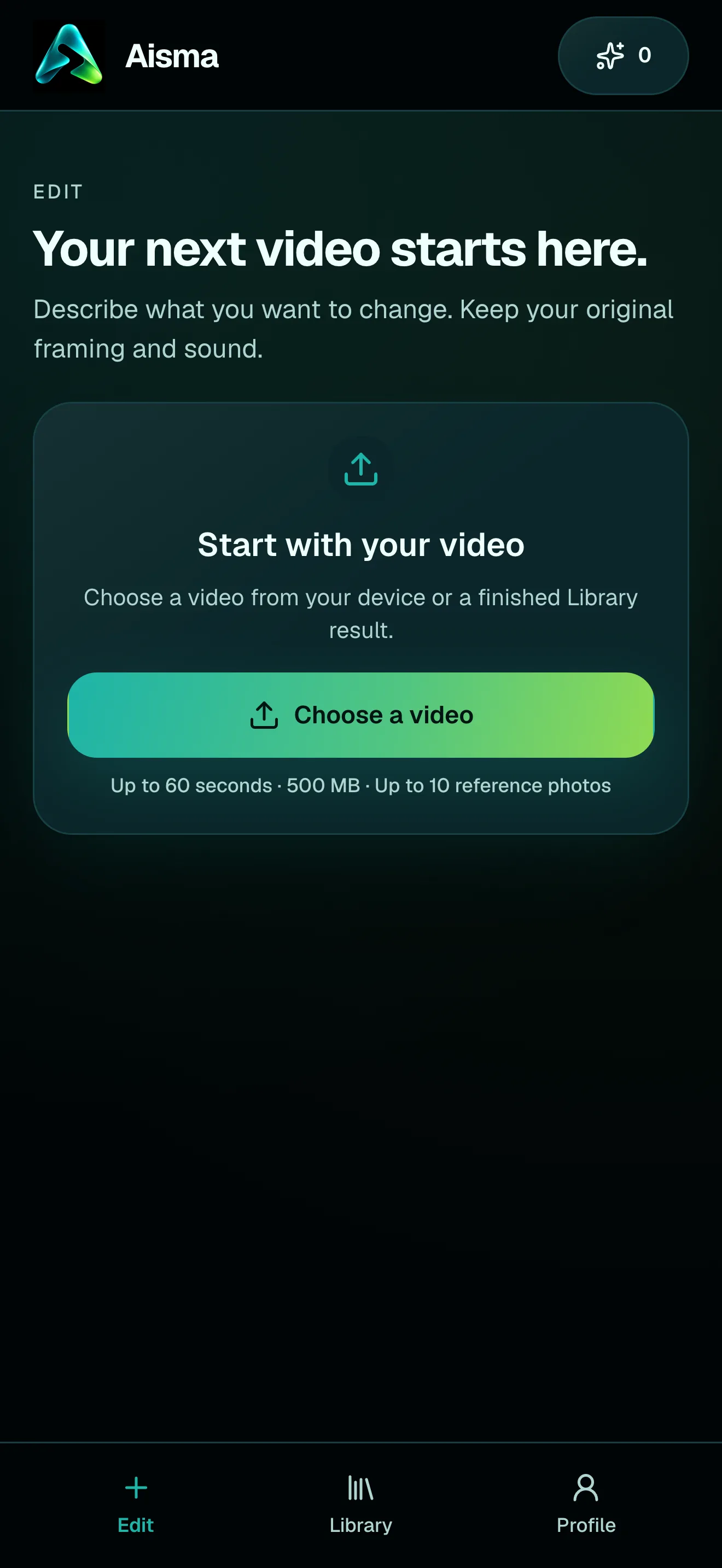
HOW IT WORKS
Three steps. No timeline.
Choose your video
MP4 or MOV, 2–60 seconds, up to 500 MB. Your original framing is kept.
Say what should change
In plain words. Add up to 10 photos when a specific look matters.
Review credits, then generate
Pick 720p or 1080p. Aisma shows the credits first, and the finished edit arrives in your private Library.
AT A GLANCE
The facts.
In one place.
- What it does
- Edits a video you already shot, from a request in plain words. No masks or keyframes.
- Your clip
- One video, 2–60 seconds, up to 500 MB, MP4 or MOV.
- Clip shape
- Vertical, square or horizontal, from 9:32 tall to 32:9 wide.
- Your request
- Plain words, up to 2,000 characters.
- Photos
- Optional. Up to 10 per edit, JPEG, PNG or WebP, up to 20 MB each.
- Your result
- An MP4 in 720p or 1080p at 24 fps, with the same length and framing as your clip.
- Sound
- Your original audio is kept.
- Where it goes
- Your private Library. Without a weekly plan, save it within 72 hours.
- Price
- 8 credits per second at 720p, 16 at 1080p. You see the exact price before you generate.
- Before you pay
- On the web, a new account can prepare its first three edits before buying credits.
- Where it works
- In the browser at aisma.ai, on iPhone and iPad (iOS 16.4 or later) and on Android.
- Made by
- BeInTouch Pte. Ltd., Singapore.
- Contact
- support@aisma.ai
WHAT YOU CAN ASK FOR
One request box.
Seven kinds of change.
Frames from real Aisma edits. Some were recorded with a previous version of Aisma.
01 · BASICS
What Aisma is.
What it needs from you.
What is Aisma?
Aisma is an AI video editor for footage you’ve already shot. You upload a clip of 2 to 60 seconds, describe the change in plain words and can add up to 10 reference photos. Aisma returns a private 720p or 1080p edit that keeps your original framing and audio. It works in the browser at aisma.ai and in the iPhone and Android apps.
How long can a video be, and which formats work?
2 to 60 seconds, up to 500 MB, MP4 or MOV. Vertical, square and horizontal clips all work. Photos can be JPEG, PNG or WebP, up to 20 MB each.
What kind of clips get the best results?
Clips where the thing you want changed is easy to see. Good light helps, and so does a subject that isn’t hidden behind hands or other people. In the beach clip on our object removal page, the trash bin and the black bag sit apart from the woman walking past, so Aisma removed them and kept her walk as filmed. Clips with many quick cuts work too; they cost a little more, because each shot is priced on its own.
How long does an edit take?
Edits take minutes, and longer clips take longer. The task page shows progress, and the finished edit appears in your Library.
02 · REQUESTS AND PHOTOS
Plain words.
Photos when they help.
How should I write my request?
Describe the change in one plain sentence, the way you’d say it to a friend: “turn this video into a watercolor painting” or “swap the cook for the woman in the photos.” If something must stay exactly as filmed, add a second sentence, such as “keep his t-shirt.” A clear target matters more than a long description. Requests can run up to 2,000 characters, and you can write them in other languages too, although the app itself is in English.
Can I ask for more than one change?
Yes. You can list several changes in one request. For the most predictable result, ask for one clear change at a time, then use the finished edit in your Library as the starting point for the next one.
Can I say when a change should happen?
Yes. Put the time in your request, for example “from 0:05 to 0:12.” Times count from the start of your clip.
When should I add photos?
When a specific look matters: a garment, a product, a person or a place. Add up to 10 photos per edit and refer to them as Photo 1, Photo 2 and so on. New backgrounds, materials, effects and removals usually need words only. To put a different person in your clip, use two clear portraits of someone who agreed to it: one from the front and one at a three-quarter angle.
Will Aisma ask me anything before it renders?
Sometimes, on the web. When a detail would change the result, such as which photo goes with which person, Aisma may ask a quick question first. If you don’t answer within about five minutes, it goes with its best reading.
03 · YOUR RESULT
Your edit.
In your Library.
What do I get back?
An MP4 file in 720p or 1080p, whichever you pick, with the same length and framing as your clip. Nothing is cropped, and every account gets both qualities. If you want the clip shorter or with captions, trim or caption it in your usual editor before or after.
Does Aisma keep the original audio?
Yes. Aisma keeps your original audio and framing. Edits change what you see, not what you hear.
Where does my edit go, and how do I save it?
Your edit arrives in your private Library. Open it and use Save video to keep the file on your device, or Share to send it on. Without an active weekly plan, a finished edit stays in your Library for 72 hours, so save it soon.
What if the result isn’t what I wanted?
Open the result and use Edit a clip to redo one part with a clarification; Aisma shows that part’s price first. You can also recreate the whole edit with a different request. Parts that fail or don’t pass the safety check aren’t charged.
04 · CREDITS AND PRICES
Priced by the second.
Shown before you generate.
How much does Aisma cost?
Aisma is paid with credits. An edit costs 8 credits per second at 720p or 16 at 1080p, and the editor shows the exact price before you generate. Credit packs start at $1.99 for 100 credits, and weekly plans start at $9.99 for 1,000 credits a week. If part of an edit fails, its credits go back to your balance.
Is Aisma free?
No. Aisma is paid with credits, and you see the price before you generate. The apps cost nothing to download, and on the web a new account can prepare its first three edits before paying. Rendering a video always uses credits.
How are seconds counted?
Aisma prices each shot, meaning the stretch between two cuts, in whole seconds, with a 2-second minimum per shot. A 10-second clip filmed in one take costs 80 credits at 720p or 160 at 1080p. A 60-second clip comes to about 500 to 560 credits at 720p, and a montage with many quick cuts costs a little more than its length suggests.
Do I get credits back if something goes wrong?
Yes. Aisma reserves the price when you press Generate and returns whatever isn’t used. If a part of your edit fails, doesn’t pass Aisma’s automatic safety check or turns out to have nothing to change, its credits go back to your balance. There are no additional charges.
What’s the difference between credit packs and weekly plans?
Packs are one-time purchases, from 100 credits for $1.99 to 9,000 credits for $99.99, and pack credits never expire. Weekly plans renew every week until you cancel: Starter is $9.99 for 1,000 credits, Creator $29.99 for 3,500 and Studio $69.99 for 9,000. Each renewal tops your plan credits back up to the plan amount, so unused plan credits don’t pile up. An active plan also keeps your Library. Accounts that haven’t bought anything before can start Creator at $0.99 for the first week, with 500 credits. On the web you pay through a secure checkout by card, or with Apple Pay or Google Pay where your device supports them; in the apps, Apple or Google handles payment. Prices are in US dollars, and taxes may apply.
What happens before I buy credits?
On the web, a new account can prepare its first three edits before paying: Aisma studies your clip and asks a few quick questions. Rendering uses credits, and once your balance covers the price, the prepared edit starts by itself. In the iPhone and Android apps, you add credits before you generate.
Can I cancel my plan?
Yes. On the web, cancel from Profile; in the apps, through your App Store or Google Play subscriptions. The plan stays active until the end of the week you paid for, and credits you already received stay in your balance.
05 · PRIVACY AND YOUR FILES
Private to your account.
Yours to delete.
Is Aisma legit and safe? Are my videos private?
Your uploads and results are private to your account. Aisma doesn’t sell your videos or show ads in the product. Payments go through Apple, Google or a secure checkout on the web, and you can delete your account at any time. Aisma is built by BeInTouch Pte. Ltd., Singapore.
How long do you keep my videos?
Finished edits stay in your private Library. Without an active weekly plan, each one is kept for 72 hours after it finishes, so save the file to your device. With an active plan, your Library stays while the plan is active and for 72 hours after it ends.
Can I delete a video or my whole account?
Yes. Delete any finished task from its menu in your Library whenever you like. To close your account, go to Settings in the app or use the account deletion page; this removes your profile, your uploaded and edited videos, your history and your credits. A plan bought in the App Store or Google Play keeps renewing until you cancel it there, so cancel it first.
Whose videos and faces can I use?
Footage and photos you own or have permission to use. If you put a different person into a clip, use photos of someone who agreed to it. Our Terms of use don’t allow deceptive impersonation, non-consensual intimate content, harassment, fraud, fabricated evidence or political manipulation. Every edit also goes through an automatic safety check.
06 · APPS AND ACCOUNT
Browser or phone.
One account.
Is there an Aisma app for Android?
Yes. Aisma is on Google Play and the App Store, and it also runs in the browser at aisma.ai.
Do I need an account?
You can start right away without one. Sign in with Google or email, or with Apple on an iPhone, iPad or Mac, to keep your Library and credits on every device. Aisma is for people 13 and older, and minors need a parent’s or guardian’s permission.
07 · ABOUT US
Who we are.
How to reach us.
Who makes Aisma?
Aisma is built by BeInTouch Pte. Ltd., Singapore.
What is Aisma built on?
Aisma is our video editing system. We don’t share details of what it’s built on. It applies your request across every shot, keeps your framing and original audio, and shows the price before anything renders.
How do I contact Aisma?
Email support@aisma.ai. For a purchase or account question, include your Aisma Account ID and roughly when you bought credits or started the edit, and never send a password or a full card number. The Support page has more help with purchases and subscriptions.
08 · WHAT’S NEXT
On our roadmap.
Shaped by your requests.
Can Aisma make a video from text or from a photo?
Aisma edits videos you’ve already shot: you upload a clip and describe the change. Creating new videos from text or a photo is on our roadmap; if that’s what you need, write to support@aisma.ai.
Can I edit a longer video, or get 4K?
Aisma takes clips up to 60 seconds, so edit a longer video in parts of up to 60 seconds each. Results come in 720p or 1080p. Longer clips and higher resolutions are both on our roadmap.
Can Aisma change the voice or add music?
For now, Aisma keeps your original sound, so add music in your usual editor after you save the file. New voices, music and lip-sync are on our roadmap. If your project depends on them, tell us about it at support@aisma.ai.
Can I get a transparent or green-screen background?
Aisma places your subject in a new scene instead: describe the place, and the person and the camera movement stay. Transparent and green-screen exports are on our roadmap.
Is there an API or a plan for teams?
Aisma is a web and mobile app today, with one clip per edit. An API and team accounts are on our roadmap. If you need to edit clips in volume, write to support@aisma.ai with roughly how many clips a month, their length and format, and what they’re for. We’ll get back to you.
Can I suggest a feature or a partnership?
Yes, please do. Requests from people who need a feature help us decide what comes first. Write to support@aisma.ai and tell us what you’d make with it. Partnership ideas are welcome at the same address.
Still have a question?
Write to support@aisma.ai, or open the Support page for help with purchases and your account.